

M12 Connector Cable Testing: A Comprehensive Guide for Reliable Industrial Connections
Time:Dec 10,2025
Source:
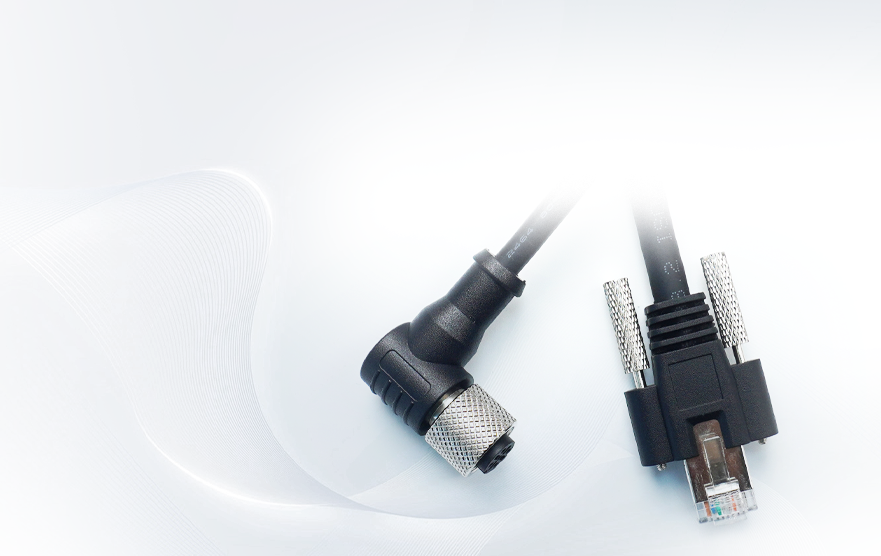
In industrial automation, M12 connectors are the backbone of seamless data and power transmission, especially in harsh environments. From factory floors to power plants, these rugged circular connectors with a 12-mm locking thread ensure durability against dust, moisture, vibration, and extreme temperatures. However, their performance hinges on proper testing—neglecting M12 connector cable testing can lead to unexpected downtime, system failures, and costly repairs. In this guide, we’ll break down why testing matters, key methods, tools, and best practices to keep your M12 connections reliable.

Why M12 Connector Cable Testing Is Non-Negotiable
M12 connectors are designed for demanding applications, from sensor and actuator connections to industrial Ethernet (including 10GBASE-T with the M12X variant). Their IP67/IP68 ratings promise dustproof and waterproof protection when properly assembled, but wear, debris, miswiring, or damaged pins can compromise functionality. Here’s why testing is critical:
- Prevent Unplanned Downtime: Faulty connections are a top cause of industrial system outages. Testing identifies issues early, avoiding costly production halts.
- Ensure Signal/Power Integrity: M12 cables transmit sensitive data (e.g., PROFINET, EtherNet/IP) and power (including PoE). Testing verifies continuity, reduces crosstalk, and confirms compliance with speed requirements (up to 10 Gb/s for X-coded connectors).
- Maintain Safety: Improperly tested connectors risk overheating, sparking, or short circuits—hazards in industrial settings with high voltages or flammable materials.
- Extend Component Lifespan: Regular testing catches minor issues (e.g., loose pins, corrosion) before they escalate into irreparable damage to connectors or connected devices.
Key M12 Connector Cable Testing Methods
Two core tests ensure M12 cable performance: continuity testing (for basic functionality) and performance certification (for high-speed Ethernet applications). Below is a step-by-step breakdown of each.
Continuity Testing: Verify Electrical Flow
Continuity testing checks if electrical current can pass through the cable and connector pins, identifying breaks, loose connections, or damaged wires. It’s a quick, essential test for all M12 applications—from sensors to power connections.
Tools Needed:
- Digital multimeter (with continuity mode)
- Test leads/probes
- Clean, disconnected M12 connector (male/female pair)
Step-by-Step Process:
- Prepare the Multimeter: Ensure the device is in working condition. Switch to continuity mode (indicated by a sound wave or diode symbol).
- Inspect the Connector: Visually check for damage, debris, corrosion, or bent pins. Clean the mating surfaces with a dry cloth if needed—contaminants can cause false readings or poor contact.
- Configure Test Leads: Insert the red lead into the “VΩ” port and the black lead into the “COM” port on the multimeter.
- Test Pin-by-Pin:
For a single connector: Touch one probe to a pin on one end and the other probe to the corresponding pin on the opposite end.
For sequential testing: Systematically check every pin pair (e.g., pin 1 to pin 1, pin 2 to pin 2). A continuous beep or low resistance (near 0 ohms) indicates good continuity. - Interpret Results:
Beep/low resistance: Proper continuity—current flows freely.
No beep/high resistance: Continuity break (check for broken wires, damaged pins, or loose connections).
Intermittent beeping: Loose internal connections—reinspect and secure the connector. - Double-Check: Repeat the test to confirm accuracy, especially for critical applications.
Performance Certification: For Industrial Ethernet
For M12 connectors used in Ethernet (e.g., D-coded for Fast Ethernet, X-coded for 10 Gb/s Gigabit Ethernet), continuity testing isn’t enough. You need to certify that the cable meets bandwidth, crosstalk, and signal integrity standards (Cat 5e, 6, or 6A).
Tools Needed:
- Cable analyzer (e.g., Fluke Networks DSX CableAnalyzer™)
- M12-specific test adapters (compatible with your connector coding: A, B, D, X, etc.)
Step-by-Step Process:
- Select the Right Standard: Choose the certification standard matching your application (e.g., 10GBASE-T for X-coded M12X connectors, Cat 6A for high-speed data).
- Connect the Analyzer: Attach the M12 test adapters to the cable analyzer. Plug one end of the M12 cable into the adapter and the other end into the remote unit.
- Run the Test: Initiate the certification test— the analyzer will measure key parameters:
Insertion loss (signal degradation)
Return loss (signal reflection)
Crosstalk (interference between pairs)
Propagation delay (signal travel time) - Review Results: The analyzer will generate a pass/fail report. For failed tests, troubleshoot issues like incorrect wiring, damaged cables, or poor connector termination.
- Document Findings: Save test reports for compliance, maintenance records, and future reference—critical for regulated industries.
Critical Considerations for M12 Testing
Match Testing to Connector Coding
M12 connectors use coding (A, B, D, X, etc.) to prevent mis-mating and define functionality. Ensure your testing aligns with the coding:
- A-coded: Sensors, DC power, Cat 5e Ethernet—test for continuity and basic signal integrity.
- D-coded: Fast Ethernet (100 Mb/s)—certify for Cat 5e compliance.
- X-coded: Gigabit Ethernet (10 Gb/s)—certify for Cat 6A to minimize crosstalk (thanks to pin-group walls in X-coded designs).
Avoid Common Testing Mistakes
- Skipping Visual Inspections: Debris or corrosion on pins can skew test results—always clean and inspect connectors first.
- Using Low-Quality Tools: Cheap multimeters or uncalibrated analyzers may provide inaccurate readings. Invest in industry-grade tools.
- Testing Mated Connectors: Disconnect the connector from devices before testing to avoid damaging equipment or false readings.
- Ignoring IP Rating Limits: M12 connectors are waterproof only when properly mated. Test in dry conditions, and avoid submerging unused connectors (use protective caps).
Best Practices for Ongoing M12 Cable Maintenance
- Test Regularly: Schedule routine testing (e.g., monthly for high-use connectors, quarterly for static setups) to catch issues early.
- Use High-Quality Components: Low-grade M12 connectors or cables are more prone to failure—opt for nickel-plated brass or stainless steel connectors with proper shielding.
- Proper Cable Management: Avoid excessive tension, sharp bends, or exposure to chemicals—these can damage internal wires and degrade performance.
- Follow Wiring Diagrams: M12 pinouts and color codes vary by coding (e.g., A-coded 4-pin: pin 1 = brown, pin 3 = blue). Refer to manufacturer diagrams to avoid miswiring.
- Replace Damaged Connectors: If a connector fails testing repeatedly (e.g., bent pins, corrosion), replace it immediately—repairs rarely restore full reliability.
Final Thoughts
M12 connector cable testing is the foundation of reliable industrial automation. Whether you’re verifying continuity for sensors or certifying Ethernet performance for 10 Gb/s connections, following the right methods and tools ensures your system runs smoothly, safely, and efficiently. By prioritizing testing, you’ll minimize downtime, extend component life, and protect your investment in industrial infrastructure.
For more insights on M12 connectors—including coding, pinouts, and waterproofing—explore our resources or contact our team for personalized guidance on your testing needs.

Apply Here For A Custom Made Solution

Shenzhen Torvenics Electronic Co.,Ltd.
615 Block A, No.11 Tangkeng Road,Henggang Longgang Dist,Shenzhen China