

Guide to Choose M8 Connector Cable: Everything You Need to Know
Time:Dec 26,2025
Source:
If you work in industries like industrial automation, robotics, IoT devices, or automotive electronics, you’ve likely encountered M8 connector cables. These compact, rugged cables are the unsung heroes of reliable data and power transmission in tight spaces and harsh environments. But with so many variations on the market—different pin counts, wiring types, IP ratings, and mounting styles—choosing the right M8 connector cable for your application can feel overwhelming.
In this comprehensive guide, we’ll start with the basics of M8 connector cables, break down their key features, and walk you through a step-by-step process to select the perfect one for your project. Whether you’re replacing a faulty cable or designing a new system, this guide will eliminate guesswork and ensure you make a decision that aligns with performance, durability, and budget needs.

What Is an M8 Connector Cable?
Before diving into the selection process, let’s clarify what an M8 connector cable is and why it’s essential in modern electronics.
An M8 connector cable is a type of circular electrical cable assembly featuring an M8 connector—named for its 8mm diameter threaded locking mechanism. This compact design makes it ideal for applications where space is limited, while the threaded lock ensures a secure, vibration-resistant connection (critical for industrial and automotive use cases).
Core Functions of M8 Connector Cables
M8 connector cables are primarily used to transmit:
- Power: Delivering low to medium voltage to sensors, actuators, or small devices.
- Data: Transmitting digital signals (e.g., Ethernet, RS-485) or analog signals (e.g., from proximity sensors or temperature probes).
- Hybrid Signals: Some variants combine power and data transmission for streamlined installations.
Key Characteristics of M8 Connector Cables
What sets M8 connector cables apart from other cable assemblies?
- Compact Size: 8mm diameter makes them perfect for tight enclosures, robotic arms, or dense circuit boards.
- Rugged Durability: Most are built with industrial-grade materials (PVC, PUR, or TPE jackets) to resist oil, chemicals, abrasion, and extreme temperatures (-40°C to +85°C or higher).
- Secure Locking: Threaded nuts (with optional bayonet locks) prevent accidental disconnection, even in high-vibration environments.
- IP Rating: Ingress Protection (IP) ratings (e.g., IP67, IP68) indicate resistance to dust and water—critical for outdoor or wet applications.
Types of M8 Connector Cables
Not all M8 connector cables are created equal. Understanding the main types will simplify your selection process. Here are the most common variations:
Pin Count
The number of pins (contacts) determines the cable’s functionality:
- 2-pin: For basic power transmission (e.g., low-voltage sensors).
- 3-pin: Common for DC power or simple signal circuits.
- 4-pin: Versatile—used for both power and data (e.g., RS-485 communication).
- 5-pin to 8-pin: For complex applications requiring multiple signal paths or higher current capacity.
Wiring Type
M8 connector cables are available in two wiring configurations:
- Straight (Male/Female): The connector is aligned with the cable (no bend), ideal for direct, in-line connections.
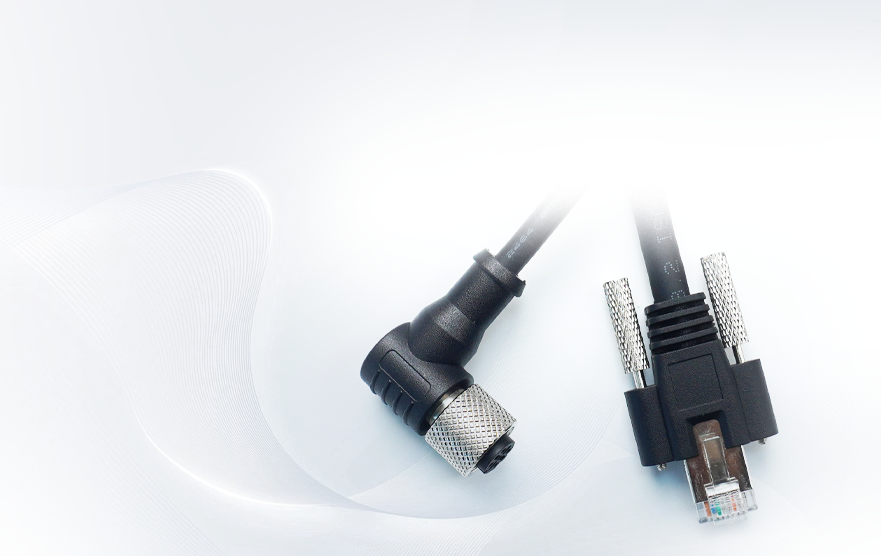
- Right-Angle (Male/Female): The connector bends 90° relative to the cable, perfect for tight spaces or applications where the cable needs to route along a surface (reduces strain on the connector).
Cable Jacket Material
The jacket material impacts durability and environmental resistance:
- PVC (Polyvinyl Chloride): Cost-effective, suitable for indoor, dry environments (limited resistance to oil/chemicals).
- PUR (Polyurethane): Flexible, abrasion-resistant, and resistant to oil, chemicals, and UV light—ideal for industrial or outdoor use.
- TPE (Thermoplastic Elastomer): Balances flexibility and durability, often used in automotive or consumer electronics.
IP Rating
IP ratings define the cable’s protection against dust and moisture:
- IP67: Dust-tight and waterproof up to 1m for 30 minutes—suitable for most industrial environments.
- IP68: Dust-tight and waterproof beyond 1m (depth varies by manufacturer)—for submerged or harsh outdoor applications.
- IP69K: Resistant to high-pressure, high-temperature water jets—used in food processing or washdown environments.
Shielding
Shielded M8 connector cables protect against electromagnetic interference (EMI), which can disrupt signal quality:
- Unshielded: Suitable for low-noise environments (e.g., indoor control panels).
- Shielded (Braided or Foil): Essential for industrial settings with motors, generators, or other EMI sources (e.g., factory floors, robotics).
Step-by-Step Guide to Choose the Right M8 Connector Cable
Now that you understand the basics and variations, let’s walk through the selection process to ensure you pick the perfect M8 connector cable for your needs.
Step 1: Define Your Application Requirements
Start by answering these critical questions to narrow down your options:
- What will the cable transmit? Power only? Data only? Or both? This determines the required pin count (e.g., 4-pin for hybrid power/data, 2-pin for basic power).
- Where will it be used? Indoor (dry, clean) or outdoor/industrial (exposed to dust, water, oil, or extreme temperatures)? This dictates IP rating and jacket material.
- What’s the operating environment? Will it face vibration (e.g., robotic arms), chemicals (e.g., manufacturing plants), or UV light (e.g., outdoor sensors)? Prioritize durable materials (PUR, shielded jackets) for harsh conditions.
- How much space do you have? Tight enclosures or awkward routing require right-angle connectors; open spaces can use straight connectors.
Step 2: Select the Correct Pin Count
Match the pin count to your signal/power needs:
- Power-only applications: 2-pin (low voltage) or 3-pin (higher current).
- Data-only applications: 4-pin (RS-485) or 5-pin (Ethernet).
- Hybrid power + data: 4-pin (most common) or 6-pin (for more complex signals).
- Multiple signals: 7-pin or 8-pin (e.g., sensors with multiple output channels).
Pro Tip: If you’re unsure, opt for a higher pin count than you currently need—this future-proofs your setup for potential upgrades.
Step 3: Choose Wiring Type
- Straight connectors: Best for direct, in-line connections where the cable can hang freely (e.g., connecting a sensor to a control box on a wall).
- Right-angle connectors: Ideal for tight spaces (e.g., inside a robotic arm joint) or when the cable needs to run along a surface (reduces stress on the connector and cable).
Step 4: Pick the Right Jacket Material
Select a jacket material based on environmental conditions:
- Indoor, dry environments: PVC (cost-effective, lightweight).
- Industrial, outdoor, or high-abrasion settings: PUR (abrasion, oil, and UV-resistant).
- Automotive or consumer electronics: TPE (flexible, durable, and chemical-resistant).
Step 5: Determine the Required IP Rating
- Indoor control panels or clean rooms: IP65 (dust-tight, protected against water jets) or IP67.
- Outdoor sensors or wet industrial areas: IP67 or IP68 (waterproof).
- Washdown environments (e.g., food processing): IP69K (resistant to high-pressure water).
Step 6: Decide on Shielding
- Low-noise environments (no motors, generators): Unshielded (cheaper, lighter).
- High-EMI environments (industrial floors, robotics, automotive): Shielded (braided or foil) to prevent signal interference.
Step 7: Consider Cable Length and Termination
- Cable length: Measure the distance between your devices to avoid overly long or short cables (too long = signal loss; too short = strain on the connector). Most M8 cables come in standard lengths (0.5m, 1m, 2m, 5m), but custom lengths are available.
- Termination: Choose between pre-terminated (ready-to-use) or unterminated (for custom wiring). Pre-terminated cables save time and ensure proper connection, while unterminated options offer flexibility for unique setups.
Step 8: Verify Compatibility
Not all M8 connectors are compatible with each other. Check:
- Connector gender: Male (pins) vs. female (sockets) — ensure it matches your device’s port.
- Thread size: M8 connectors use an 8mm thread, but confirm the pitch (most common: M8x1) to avoid mismatches.
- Voltage/current rating: Ensure the cable can handle your application’s power requirements (e.g., 2A, 5A, 24V, 48V).
Common Mistakes to Avoid When Choosing M8 Connector Cables
Even with a guide, it’s easy to make errors. Here are the top mistakes to steer clear of:
Underestimating the environment: Using a PVC jacket in an oil-rich industrial setting will lead to premature failure—always prioritize jacket material and IP rating for your environment.
Choosing the wrong pin count: A 2-pin cable won’t work for data transmission, and an 8-pin cable is overkill (and more expensive) for basic power.
Ignoring shielding: Skipping shielding in high-EMI environments causes signal interference, leading to unreliable performance.
Overlooking connector orientation: Using a straight connector in a tight space can strain the cable and connector, leading to damage.
Sacrificing quality for cost: Cheap M8 cables may use low-grade materials, resulting in frequent replacements—invest in quality for long-term reliability.
Final Thoughts: Choosing the Best M8 Connector Cable for Your Needs
An M8 connector cable may seem like a small component, but it plays a critical role in ensuring reliable power and data transmission. By following this guide—defining your application needs, understanding key variations, and walking through the step-by-step selection process—you’ll choose a cable that’s durable, compatible, and optimized for your specific use case.
Remember: The best M8 connector cable isn’t the most expensive or feature-packed—it’s the one that aligns perfectly with your environment, functionality, and budget. If you’re still unsure, consult with a trusted connector supplier to get personalized recommendations based on your project details.

Apply Here For A Custom Made Solution

Shenzhen Torvenics Electronic Co.,Ltd.
615 Block A, No.11 Tangkeng Road,Henggang Longgang Dist,Shenzhen China